
A big job can be split across several heroes. Open Form the party on a quest card to get an RPG-style party window. If one hero is enough, you can skip this.
Party members are heroes from separately launched CLIs. They are a different thing from the sub-agents (warrior, thief and so on) in the roster.
The party window#
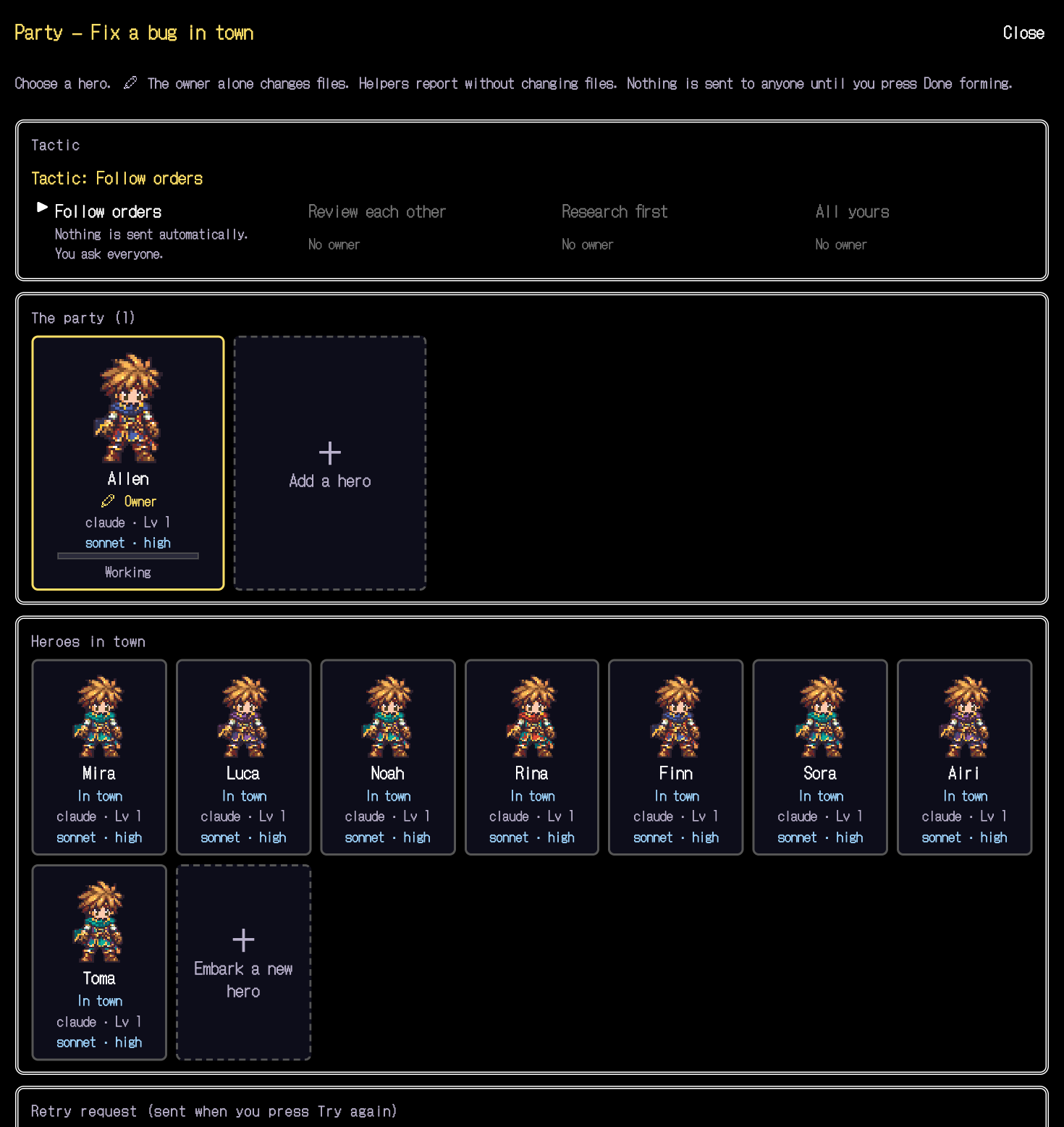
- Add a member
Add a free hero in town as a helper. You can also embark a new one.
- Only the owner changes files
One owner makes the changes. Helpers do not change anything; they investigate and report.
- Choose a tactic
Choose from "Follow orders", "Review each other", "Investigate first" and "Leave it all to you". The window checks whether the party is valid before you use it.
- Finish forming
Nothing is sent until you select the finishing button.
Nothing is sent to anyone automatically, and permission prompts are never approved for you. Check the roles and the owner before you send.
After forming the party, the flow is the same as with one hero: Check and send.