
What is Yushario#
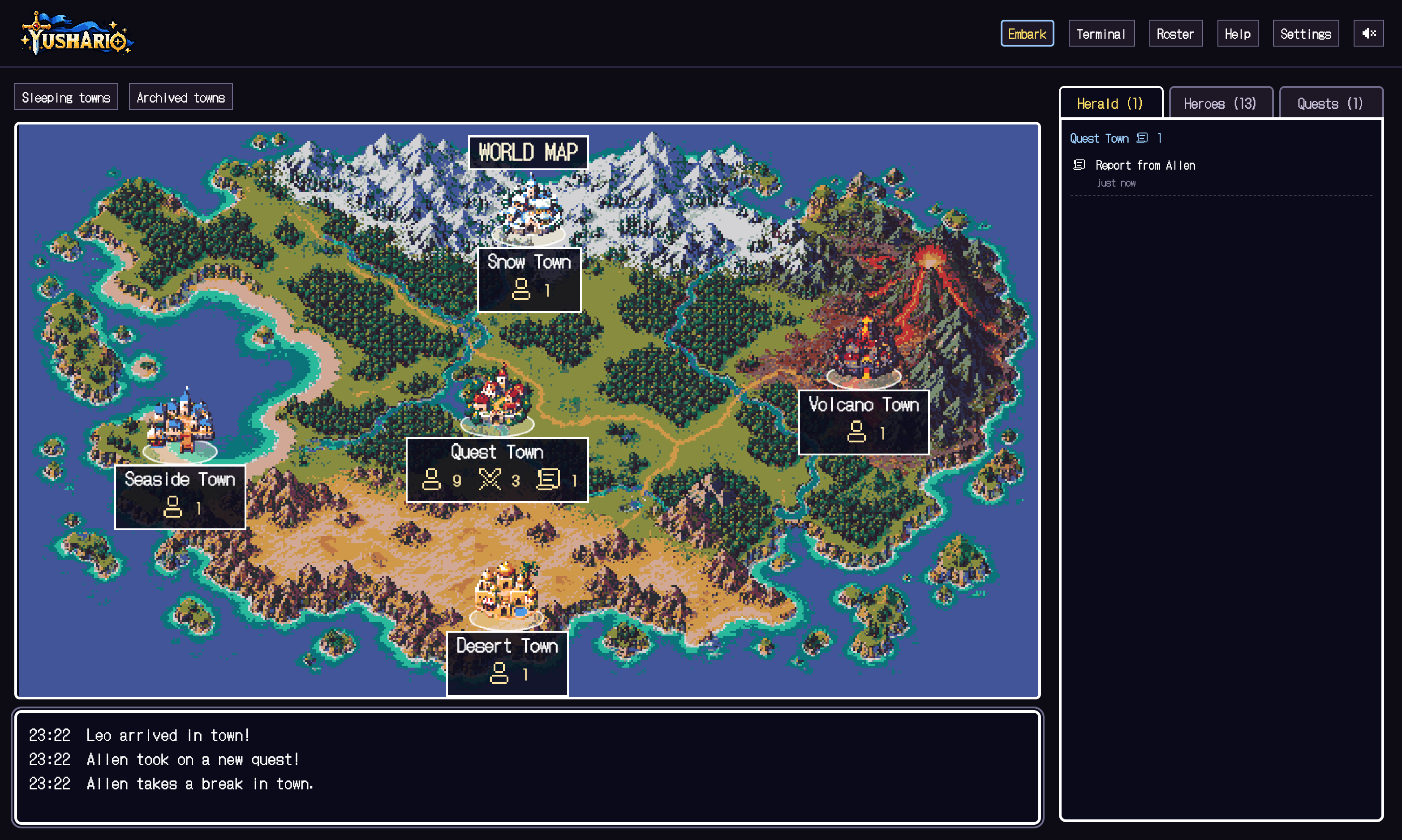
Yushario is a local app that shows command-line agents such as Claude Code, pi and Codex in a pixel-art RPG town. It opens in your browser: sessions become heroes, projects become towns, and work like running tests plays out as battles.
It does not replace your agent. It launches the CLI you are already logged into, then helps you watch the work, send requests, check the changes and decide whether to adopt them.
Yushario never calls an LLM itself and never approves permission prompts for you. Sending a request and adopting a change are always your decisions.
What you need#
- macOS or Linux
- Node.js 22.13.0 or later (required by Yushario itself)
- One of Claude Code, pi or Codex, with an environment that meets that CLI's own requirements, and a login
- A project folder to give work to
You launch it from npm; there is no need to clone the repository or install anything globally. For what each CLI supports, see Supported agents.
Launch it#
Open a terminal in your project folder and run:
npx yushario@latestYour browser opens on the town. The token changes on every launch, so do not share the launch URL.
The app listens on 127.0.0.1 only and is protected by a per-launch token. Do not expose it through a public proxy or tunnel.